
In this Article
- What a receipt workflow actually means
- How to rank receipt sources before saving everything
- How to make email receipts searchable
- Where digital wallets help, and where they stop helping
- Why store accounts work well as return hubs
- How to turn receipts into return deadlines
- How to manage gifts and shared household purchases
- What to do when the receipt trail breaks
- A 5-minute weekly reset for keeping the system usable
What a Receipt Workflow Actually Means
A shopper receipt workflow is the repeatable system you use to capture proof of purchase, return deadlines, payment method, and retailer policy details in one place.
That sounds tidy. Real shopping is not tidy.
One purchase may leave a confirmation email, a digital wallet transaction, a store account order page, a delivery notice, and a paper slip in the bottom of a tote bag. If it was a pickup order, the proof may live in two places. If it was a gift, the person who needs the return may not be the person who bought it.
The goal is not perfect archiving. The goal is retrieval: being able to answer four questions in under 90 seconds when a return deadline is close.
- Where did I buy it?
- When is the return deadline?
- How did I pay?
- What proof will the store accept?
Once the workflow answers those questions, it is doing its job. If it also looks beautiful, fine. But beauty should come after speed.
Use a Source Hierarchy Before You Start Saving Everything
The common question is simple: should you save every shopping record?
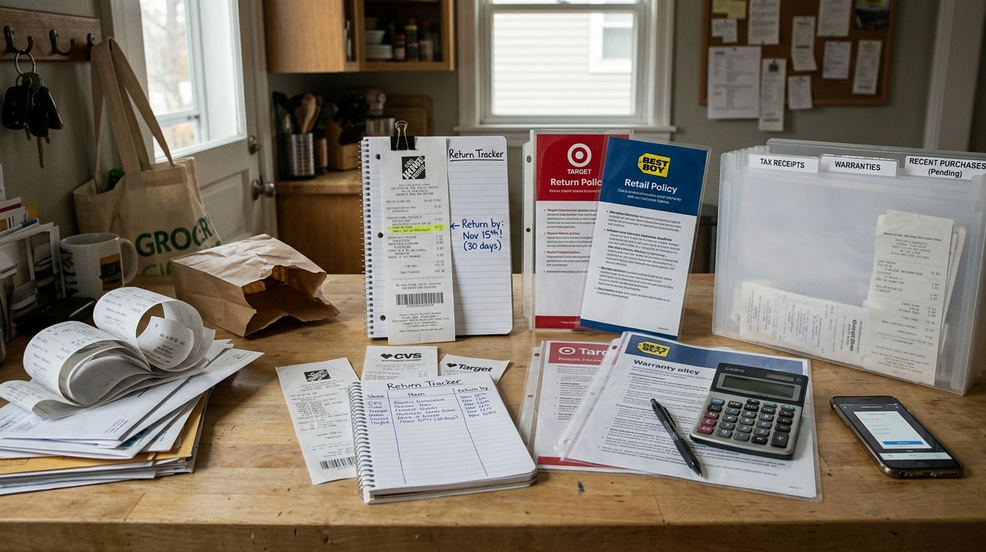
No. Save in priority order, because not every record carries the same weight when a return gets complicated. A store account order page usually gives the richest proof: item name, order number, fulfillment status, return buttons, labels, and exchange options. An emailed receipt often comes next because it travels outside the retailer’s app and remains searchable. A wallet or card transaction can confirm the payment trail, but it rarely proves what specific item you bought.
Use this hierarchy when you are deciding what to keep first:
- Retailer account order page: best for item details, order numbers, return labels, and policy prompts.
- Emailed receipt: strong backup that can be searched, forwarded, or saved.
- Original payment record or wallet transaction: useful for merchant, date, amount, and payment method.
- Shipping or pickup confirmation: helpful for delivery timing, carrier scans, and proof that an item was received.
- Paper receipt: still useful, especially in store, but easy to lose and vulnerable to fading.
Initially, we considered advising shoppers to print all digital receipts for a physical binder, then dropped that approach. Thermal paper can fade within roughly 6 to 18 months, and manual filing can add on the order of 10 to 15 minutes per purchase. That is too much friction for ordinary household shopping.
Caution: This hierarchy is a conservative consumer workflow, not a guarantee that every retailer will accept every source. Store policy still decides what counts at the counter.
Set Up Your Email Receipts So They Are Searchable
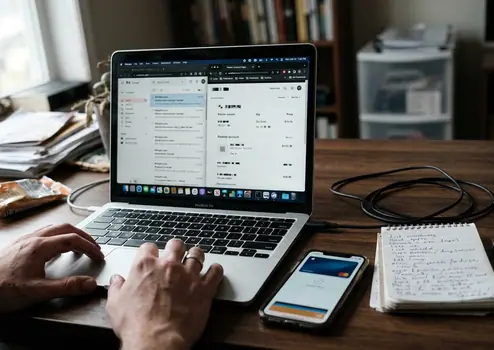
If you are starting from scratch, do not build a complicated folder tree. Make one label or folder called Receipts or Purchases. Then use search.
Beginner systems fail when they rely on memory: “Was that order from the marketplace, the brand site, the delivery app, or the payment processor?” A searchable inbox gives you more ways in. You can search the retailer name, product name, order number, delivery service, or the last 4 digits of the payment card if the email includes them.
Keep purchase emails until the return window, warranty concern, or reimbursement need has clearly passed. For ordinary purchases, retaining emails for about 90 to 120 days after purchase gives you coverage for many extended holiday return periods without turning the inbox into a permanent archive.
What belongs in the receipt folder
- Retailer receipts and order confirmations
- Marketplace purchase emails
- Delivery and pickup confirmations
- Payment processor receipts
- Return label emails and exchange confirmations
Do not worry if one purchase creates three emails. That is often useful. The retailer email may show the item. The delivery email may show when it arrived. The payment email may show which account handled the charge.
Expert Tip: When an email receipt arrives, check whether it includes the item name, order number, and return link. If one of those is missing, keep a second proof source instead of trusting that single email.
Use Digital Wallets as Payment Clues, Not Full Receipts
Digital wallets are excellent clues. They are not full receipts.
Apple Pay, Google Wallet, PayPal, card apps, and bank notifications can usually confirm the merchant, date, amount, and payment method. That matters when you are trying to match a charge to a receipt or prove which card was used. But these records often do not show item names, sizes, serial numbers, SKU-level details, or return eligibility.
This distinction becomes painfully practical at a return counter. A store associate may ask for the original card or wallet device used for the purchase. A screenshot of a wallet charge may show that money changed hands, but it may not include the itemized barcode that the point-of-sale system needs to process a refund.
There is another wrinkle: digital wallet transaction histories may only keep the last 10 to 50 transactions locally on the device. Older purchases can drop out of the immediate view before the return window closes. Temporary card numbers may also expire within a day or two, which can make a later lookup feel less obvious than the original tap-to-pay moment.
When wallet records help most
- Matching an unknown charge to a retailer email
- Confirming which card or wallet device handled the purchase
- Checking the purchase date when the receipt email is hard to find
- Supporting a customer service conversation when the order number is missing
Use wallet records as the payment layer in the workflow. Pair them with itemized proof whenever you can.
Make Store Accounts Your Return Command Center
Store accounts are not always lovable, but they are often the fastest place to recover a messy purchase trail.
A good retailer account can centralize online orders, pickup orders, marketplace purchases, loyalty receipts, return labels, exchange options, and customer service links. It can also show whether a return needs to be mailed, brought to a store, or started through a portal.
The progression path is straightforward. Before a holiday season, moving week, back-to-school run, or any high-volume shopping period, create or sign into the accounts you will actually use. Doing this a couple of days before major seasonal sales events is less stressful than trying to reset a password from a parking lot while a return line grows behind you.
Guest checkout feels faster at purchase time. It can be slower later. Some retailer systems archive guest checkout orders after roughly 90 to 120 days, and older order links may stop showing the details you need.
Main Point: A store account is most useful when it captures the order before the receipt scatters across guest checkout emails, delivery updates, and payment notifications.
The tradeoff to manage
Accounts improve retrieval, but they also require stronger passwords and careful notification settings. Use a password manager if you have one, turn off noisy marketing messages where possible, and keep transactional emails active. You want order updates and return notices. You do not need every sale alert.
For mail-in returns, store accounts can also help track transit. Return shipping may take around 5 to 9 business days, and the account page is often where carrier scans, refund status, and processing messages appear together.
Turn Receipts Into Return Deadlines
A saved receipt is only half the workflow. The real conversion step is turning that receipt into a deadline.
Standard return windows often sit in the 14-to-30-day range, which is short enough to miss during an ordinary month. A receipt folder tells you what happened. A deadline tells you when to act.
Choose the tracking tool you will actually open:
- A calendar, if you already live by reminders
- A receipt-tracking app, if you want purchase records and return dates together
- A notes app, if you prefer a lightweight list
- A spreadsheet, if you manage household purchases in batches
A simple deadline ladder
- Last day to return: enter the retailer’s cutoff date exactly as stated.
- One-week warning: set a 7-day preliminary reminder so the item is not discovered too late.
- Shipping buffer: for mailed returns, add a 3-to-5-day buffer for packing, carrier drop-off, transit, and processing.
Mail-in return deadlines can be stricter than they look. Some require the package to be scanned by the carrier by the cutoff date. In-store returns usually require you to be physically present before closing time on that date. That difference belongs in your note, not in your memory.
Build a Shared System for Gifts and Household Purchases
A single-shopper workflow breaks down once multiple people buy for the same household.
One person orders shoes. Someone else picks up a small appliance. A grandparent sends a gift with no packing slip. During peak seasons, a household may juggle several gift purchases per week, and the receipt trail can become social before it becomes technical: who bought it, who received it, who has the barcode, and who knows the return deadline?
Use a shared but privacy-aware method. Not every receipt needs to be visible to everyone, especially if it includes payment details or personal purchases. For shared household items, try one of these:
- A family calendar for return deadlines
- A shared note with order numbers and retailer names
- A household email label for non-sensitive receipts
- A shared folder for return labels, gift receipts, and pickup confirmations
Calendar sync can lag by roughly 15 to 30 minutes across different mobile ecosystems, so do not create a deadline while someone is standing at the register and assume it has reached everyone instantly. For urgent returns, send a direct message with the date and order number.
Gift purchases need a small prep step
Before wrapping or shipping a gift, save the gift receipt, return barcode, product name, size, color, and store account link. If the recipient may exchange it, include the store name and return method in a note that does not reveal the price unless that is appropriate.
This is the part that feels fussy until it saves a Saturday.
What to Do When the Receipt Trail Breaks
The receipt trail usually breaks in ordinary ways: a deleted email, a guest checkout order, a changed phone, a closed card, a missing gift receipt, or a retailer account that no longer shows older orders.
Do not start by arguing with the store. Rebuild the trail in order.
- Search your inbox: use retailer name, product name, order number, delivery service, payment processor, or the last 4 digits of the card.
- Check the wallet or card statement: look for merchant, date, and amount. Bank statement records from the past few months are often easier to locate than older order emails.
- Search the retailer account: check online orders, pickup orders, subscriptions, and loyalty receipt sections.
- Contact customer service: provide the purchase date, amount, store location if relevant, and payment method.
- Ask about alternatives: store credit, exchange options, or a lookup by loyalty account may be available under the retailer’s policy.
The FTC guidance on returns and refunds can help frame the general problem-solving steps when a business dispute escalates. For routine returns, though, the retailer’s own policy usually controls the process.
Caution: Relying only on a digital wallet screenshot is risky when the store’s system needs an itemized SKU, barcode, or original order record.
5-Minute Weekly Receipt Reset Checklist
The maintenance step should be small enough that you will actually do it. Five minutes is enough for most weeks if you are processing a handful of receipts instead of waiting for a full drawer, inbox, and wallet history to pile up.
Use this reset once a week, ideally on the same day you handle groceries, bills, or household planning.
- Move new purchase emails into the dedicated Receipts folder.
- Match any unassigned digital wallet transactions to their corresponding email receipts.
- Log into store accounts to verify return deadlines for items you may return.
- Add the last day to return, 7-day warning, and shipping buffer where needed.
- Save gift receipts, barcodes, sizes, and order links before items are wrapped or mailed.
- Archive receipts older than about 180 days for non-warranty items.
This is also the moment to delete noise. Keep proof, not clutter. A marketing email announcing a sale is not a receipt. A delivery photo may help for a missing package, but it does not replace itemized purchase proof.
Open your inbox now, create one folder named Receipts, and move the three most recent purchase emails into it before the next return deadline sneaks up.